How to Reduce No-Shows — Complete Strategy Guide
No-shows cost service businesses thousands in lost revenue every month. This guide covers every strategy — from deposits and reminders to cancellation policies and anti-abuse limits — so you can protect your time and grow your revenue.
Every service business deals with no-shows. A client books an appointment, you reserve time for them, and they simply do not show up. That empty slot is not just lost revenue — it is lost time your staff could have spent with another client.
The good news? No-shows are solvable. There is no single magic bullet, but a combination of strategies — financial incentives, automated reminders, clear policies, and smart limits — can reduce no-shows by 80–90%. This guide walks through each layer of defence so you can build a system that works for your business.
The real cost of no-shows
10–30%
Typical no-show rate without prevention measures
$X per slot
Lost revenue per no-show × your average booking value
Opportunity cost
Another client could have booked that slot — double loss
Example: A salon with 5 staff, $80 average booking value, and 10% no-show rate loses $400 per day — that is over $10,000 per month in lost revenue. A clinic with $150 average rates loses even more. Reducing no-shows from 10% to 3% alone can add thousands to your monthly bottom line.
Tier 1: Financial commitment (deposits)
Highest impact — addresses motivation
The single most effective no-show deterrent is a financial commitment. When a client has paid something towards their appointment, they are significantly less likely to miss it. Deposits turn a free reservation into a paid commitment.
Percentage deposit
Charge a percentage of the total (e.g. 25–50%). Scales automatically with add-ons and dynamic pricing.
- Best for services with varying prices
- Automatic — no manual amounts per service
- Range: 1% to 99% (clamped at platform max)
Fixed deposit
Charge a fixed amount per booking (e.g. $20). Simple and predictable for clients.
- Easy to communicate
- Predictable revenue per booking
- Best for fixed-price services
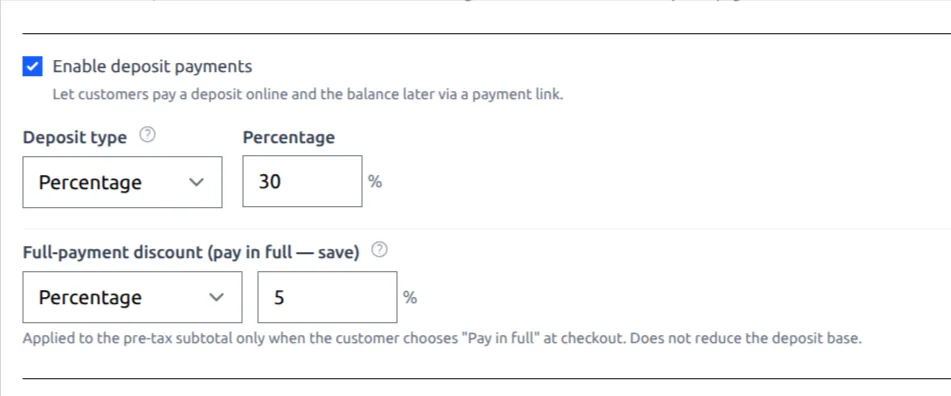
Full-payment discount: a win-win incentive
Offer clients a discount (5–10%) if they pay the full amount upfront instead of leaving a deposit with a balance. Clients save money, you get paid in full and eliminate no-show risk entirely for those who choose this option. Supported in Clickobook out of the box.
How to offer a full-payment discount with deposits →Deposit best practices for no-show reduction
The sweet spot is 25–50% deposit with a 5–10% full-payment discount option. Below 10% the deposit does not change behaviour meaningfully. Above 75% it begins to feel like full payment and may deter new clients. Reserve high deposits for premium or custom bookings only.
Tier 2: Automated reminders
High impact — addresses forgetfulness
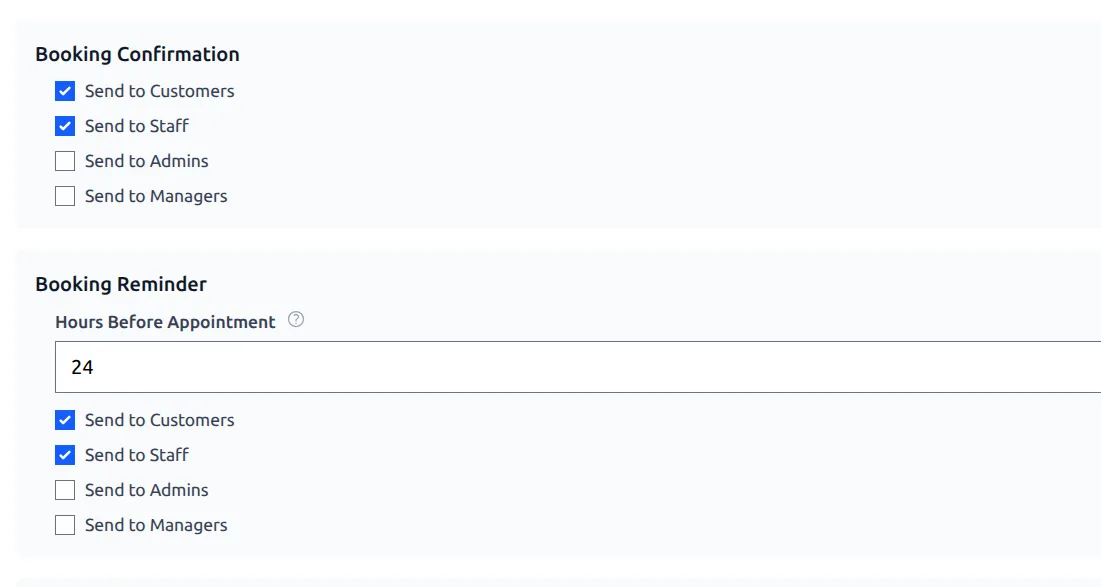
Many no-shows are not malicious — clients simply forget. A well-timed reminder reduces forgetfulness dramatically. The best approach is layered reminders: a confirmation immediately after booking, a reminder 24–48 hours before, and a short SMS a couple of hours before the appointment.
Confirmation email
Sent immediately after booking. Includes service, date, time, staff, location, and a .ics calendar attachment so clients can add it to their phone calendar.
Email reminder
Configurable lead time (default: 24 hours before). Gives clients enough time to reschedule if needed — reducing no-shows AND last-minute cancellations.
SMS reminder
Text message sent closer to the appointment (default: 2 hours before). SMS open rates are 98% — almost every client sees it.
Why reminders alone are not enough
Reminders solve forgetfulness, but they do not solve motivation. A client who is having second thoughts about spending $200 on a treatment may still no-show even after multiple reminders. That is why Tier 1 (deposits) and Tier 3 (policies) are essential complements — together they create a complete safety net.
Tier 3: Cancellation policy & booking rules
Medium-high impact — sets expectations
Clear policies ensure clients know what is expected of them — and what happens if they do not show up. Combined with deposits, they create a strong deterrent.
Cancellation window
Set how many hours (or days) before the appointment a client can cancel without penalty. Standard: 24 hours. For high-demand appointments, consider 48 hours. The system automatically enforces this — clients cannot cancel within the window if you have disabled cancellations.
Minimum advance booking
Require a minimum amount of time before a booking can be made — for example, at least 2 hours before the appointment. This prevents same-second bookings that often lead to no-shows, and gives your staff time to prepare.
Manual booking approval
When you disable auto-confirm for at-venue payments, new bookings appear as "pending" in your admin panel. You review each booking and confirm manually. This lets you vet new clients, check inventory, or coordinate staff before committing. Paid bookings (Stripe/PayPal) can still auto-confirm while at-venue bookings wait for your approval.
Customer booking notice
Display a custom message at the top of your booking page — arrival instructions, payment policies, cancellation terms. Clients see it before they book, so expectations are clear from the start. Up to 500 characters.
Display your cancellation policy clearly
Use the customer notice to communicate your cancellation and refund policy before the client completes their booking. The combination of a clear policy + a deposit creates the strongest no-show deterrent.
Tier 4: Customer self-service
Medium impact — reduces last-minute no-shows
A surprising number of no-shows happen because a client knows they cannot make it but has no easy way to cancel or reschedule. They simply do not show up and assume they will deal with it later. Giving clients a simple way to cancel or reschedule online converts no-shows into cancellations — at least you get the chance to rebook the slot.
Self-service cancel
Clients can cancel their booking using a secure link from their confirmation email. You control whether this is allowed via a simple toggle in settings.
Self-service reschedule
Clients can pick a new time slot directly. The system shows available slots, validates the new time, and updates the booking — without any staff involvement.
Subscription cancel
Clients with recurring subscriptions can cancel their membership from the same secure link. The system handles the Stripe/PayPal cancellation.
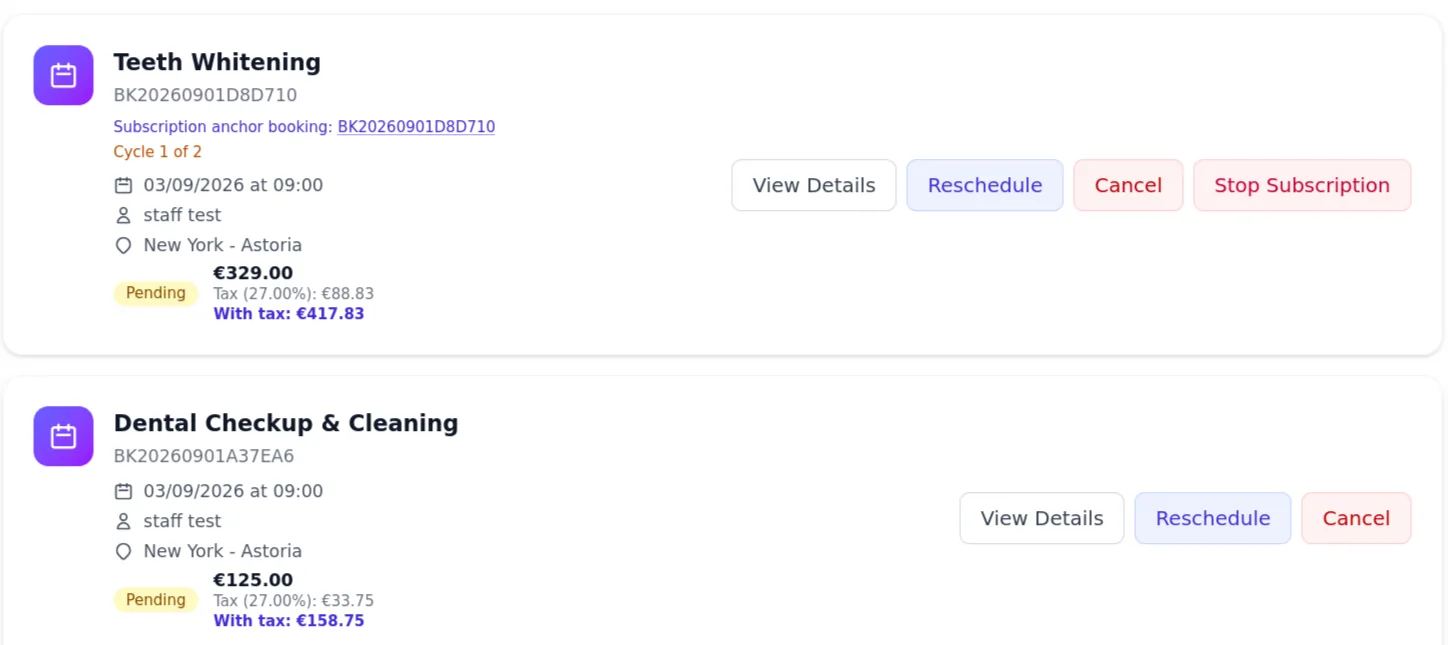
Why self-service matters for no-show reduction
Clients who are given an easy way to cancel or reschedule are far less likely to simply not show up. Even if they cancel, you have time to fill the slot. All three toggles (cancel, reschedule, subscription cancel) are independent — enable only what works for your business.
Tier 5: Anti-abuse limits
Niche but important — addresses bad actors
Most clients are honest, but a small number of people book appointments they never intend to keep. Anti-abuse limits protect your business from these bad actors without affecting genuine clients.
Per customer limit
Limits the number of active (pending + confirmed) bookings a single customer can have within the next 30 days. Default: disabled.
Per email per day
Limits bookings from the same email address per day. Prevents mass booking attacks. Default: disabled.
Per phone limit
Limits active bookings across all accounts sharing the same phone number. Stops abuse from clients creating multiple accounts. Default: disabled.
When to use anti-abuse limits
These are most useful for businesses that experienced abuse — someone booking 20 appointments they never show up to, or competitors tying up your slots. For most businesses, deposits + reminders + policies are sufficient and anti-abuse limits remain disabled.
Building your complete no-show strategy
The most effective no-show prevention uses all five tiers together. Here is a recommended configuration:
| Layer | Recommended setting | Impact |
|---|---|---|
| Deposits | 25–50% deposit, 5–10% full-payment discount | High |
| Email reminder | 24 hours before appointment | High |
| SMS reminder | 2 hours before appointment (requires Twilio) | High |
| Cancellation window | 24 hours before appointment | Medium |
| Self-service reschedule | Enabled — converts no-shows into reschedules | Medium |
| Manual approval | For at-venue payments (new clients checked manually) | Medium |
| Min advance booking | 2 hours minimum | Low |
| Anti-abuse limits | Enabled only if you experience abuse | Niche |
| Customer notice | Shows cancellation/arrival policy on booking page | Low |
All these settings are in one place
In Clickobook, deposits, reminders, cancellation policy, auto-confirm toggles, anti-abuse limits, booking notices, and min advance booking are all configured in Admin → Settings → Bookings / Email / SMS. No plugins, no add-ons, no extra cost.
Try it free →No-show prevention — frequently asked questions
Combining deposits with automated reminders is the most effective combination. Deposits create a financial commitment (clients who pay something are far less likely to miss the appointment), while reminders ensure they do not forget. Together they can reduce no-shows by 80% or more.
Not necessarily. Deposits work best for high-value services (over $100), long appointments, new clients (no booking history), and peak-time slots. For low-value quick services, consider relying on reminders and a clear cancellation policy instead.
24 hours before the appointment is the standard for most service businesses. For high-demand services (weekend slots, premium treatments) you might extend this to 48 hours. You can also choose to make deposits non-refundable within the cancellation window.
Yes. You can disable auto-confirm for at-venue payments. When a client books and chooses to pay at the venue, the booking appears as "pending" in your admin panel. You review and confirm it manually. This is useful if you need to check availability or screen new clients before committing.
You can set limits on how many active bookings a single customer, email address, or phone number can have within a 30-day window. These anti-abuse limits are configurable in Settings → Bookings and default to off — you choose the thresholds.
Yes — it reduces no-shows because clients who realize they cannot make it can reschedule instead of simply not showing up. Self-service cancel and reschedule are optional toggles you can enable independently. When enabled, clients use a secure link from their confirmation email.
You can set a minimum time before a booking can be made — for example, "at least 2 hours before the appointment". This prevents same-second bookings and reduces impulsive no-shows. The default is 1 hour, configurable in Settings → Bookings.
In Clickobook, you can process refunds (partial or full) from the admin panel (Admin → Transactions). Your refund policy — whether deposits are refundable or non-refundable on no-show — is defined in your Terms page. Many businesses keep the deposit as compensation for the lost slot.
Ready to eliminate no-shows?
Clickobook gives you all the tools — deposits, reminders, cancellation policies, manual approval, and anti-abuse limits — in one platform. Start your free trial today.