Catering Quote Form Template — Price per Guest by Menu and Service Style
A per-guest menu price plus the service style, then staff, equipment and travel. Best when an organiser is comparing three caterers for one date and needs a total they can put in a budget.
Overview
A catering enquiry is almost always a date, a head count and a budget. The organiser has already asked two other caterers, and the one who replies with a number for their actual menu and style is the one still in the conversation a week later.
The arithmetic is simple but the variables are not: a buffet for 80 and a plated dinner for 80 cost very different amounts even on the same menu. The template separates those choices so each one carries its own price instead of hiding inside an average.
Best for
Caterers and private chefs who quote events from 20 to 300 guests, where the menu choice and the service style — not the guest count alone — decide the price.
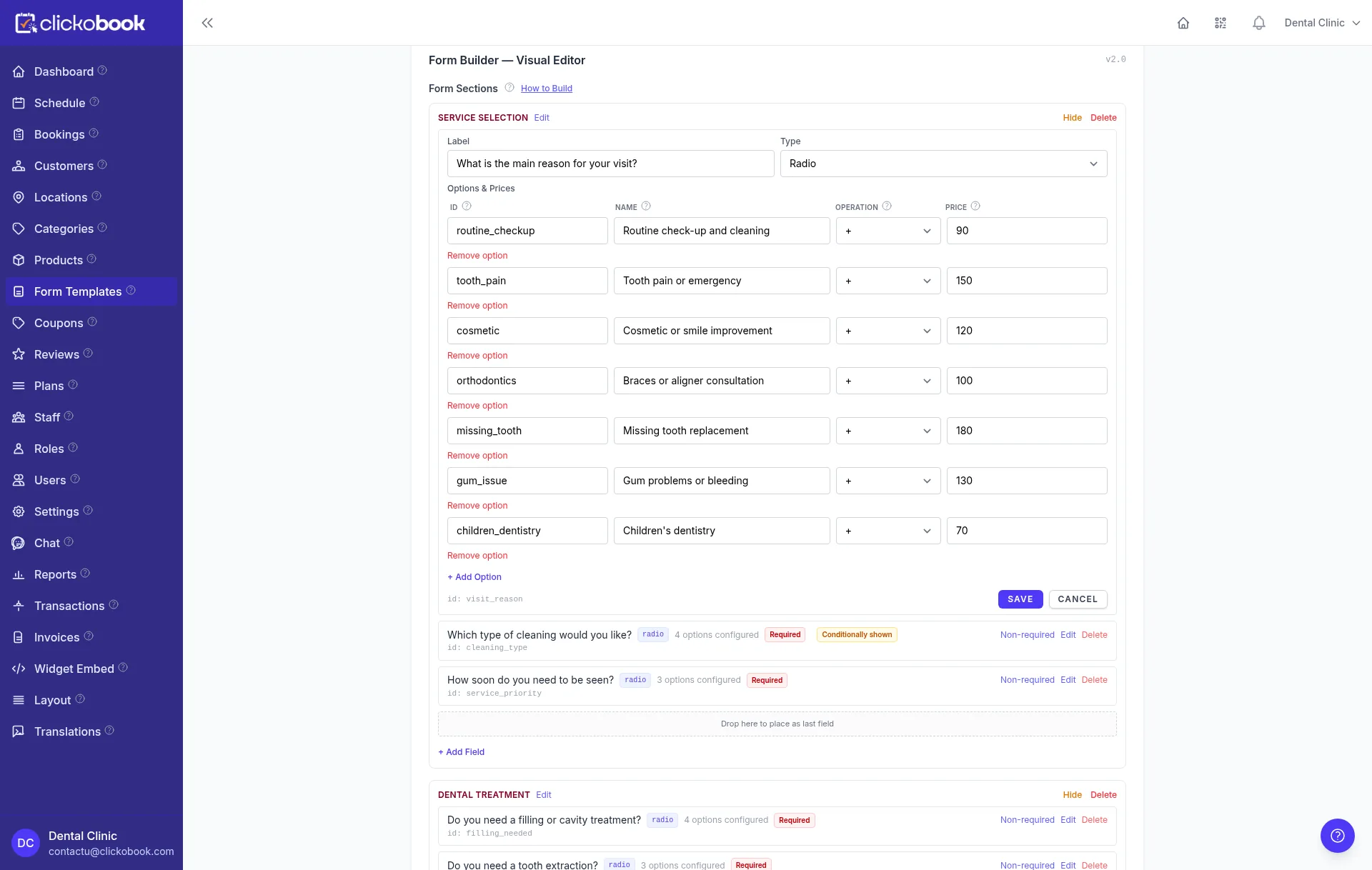
The field list
Every question below earns its place: it changes the price, the visit or the crew. If a question does none of the three, leave it out.
| Field | Type | Why it is asked |
|---|---|---|
| Event type | Select (single) | A wedding, a corporate lunch and a birthday change the service expectations before any price is quoted. |
| Event date | Date | Availability decides whether a quote is worth building at all. Ask it before the menu. |
| Number of guests | Number | The main multiplier. Every menu and staff rule is applied per guest, so it has to be a real number. |
| Service style | Select (single) | Buffet, plated, canapé reception or food truck. Each has a different cost per guest and a different staff ratio. |
| Menu tier | Select (single) | Essential, seasonal or premium. A percentage on the menu price keeps the tiers honest without a second price list. |
| Dietary requirements | Text (optional) | Allergies and vegetarian counts must reach the kitchen, but they rarely change the price at quote time. |
| Welcome drinks | Yes / No | A separate per-guest charge with its own glassware and staffing implications. |
| Dessert table | Yes / No | A dessert station is priced per guest and needs its own table and service time. |
| Late-night food | Yes / No | Adds a serving hour and staff time after the main service finishes. |
| Service staff needed | Number | The organiser often knows the venue rules better than you do. Let them state the staff count, then price it. |
| Venue address | Text | Delivery distance and the venue's own access rules both start here. |
| Kitchen access | Select (single) | A full kitchen, a service kitchen or no kitchen at all changes what can be cooked on site — and the price. |
| Serving time | Time | Sets the arrival and setup window, and flags an event that runs past the staffed hours. |
Price rules
Each row is one option in the builder with the operation attached to it. The example column is the arithmetic you should see in the live total; use it to check your own configuration before publishing.
| Option | Rule | Worked example |
|---|---|---|
| Buffet menu | +38 per guest | 80 guests × 38 = 3,040 |
| Plated menu | +52 per guest | 80 guests × 52 = 4,160 |
| Canapé reception | +28 per guest | 80 guests × 28 = 2,240 |
| Food truck service | +22 per guest | 80 guests × 22 = 1,760 |
| Premium menu tier | +12% | 3,040 × 0.12 = 364.80 |
| Welcome drinks | +9 per guest | 80 guests × 9 = 720 |
| Dessert table | +6 per guest | 80 guests × 6 = 480 |
| Late-night food | +7 per guest | 80 guests × 7 = 560 |
| Service staff | +180 per staff member | 4 staff × 180 = 720 |
| Equipment and crockery | +240 flat | 240 |
| Limited kitchen access | +15% | 3,040 × 0.15 = 456 |
| Delivery beyond 30 km | +1.10 per km | 55 km → 25 × 1.10 = 27.50 |
| Weekend event | +8% | 3,040 × 0.08 = 243.20 |
The amounts are illustrative, not a price list. Replace them with your own cost base and currency before publishing — and keep the order of the rules, because a percentage applied to the wrong subtotal changes every total downstream.
Conditional logic
Conditional rules keep the form short without losing the information. Add them in the order below and test each trigger before you publish.
If Service style is Food truck
Then Hide the kitchen access question. A food truck cooks in its own kitchen, so the venue answer is irrelevant.
If Number of guests is under 20
Then Hide the service staff question and show a self-serve note. A small gathering does not need a brigade.
If Kitchen access is None
Then Switch the menu options to cold and pre-prepared dishes and apply the limited-access surcharge.
If Event type is Wedding
Then Recommend the plated menu and raise the default staff count. A wedding is served, not queued at a buffet.
If Event date falls on a Saturday or Sunday
Then Show the weekend surcharge before the total. It is real and the organiser should see why the number moved.
If Event date is less than 14 days away
Then Replace the instant quote with "call us to confirm this date". Short-notice events depend on stock and staff, not on a formula.
Rebuild it in Clickobook
This is the build order we use. It ends with two test submissions, because a priced form is only correct when a total you calculated by hand matches the one on screen.
-
1
Create an "About your event" section with event type, date and guest count. Date and head count are the two answers that decide whether the rest of the form is worth filling in.
-
2
Add the service-style select and put each style's per-guest price on its own option. Do not average buffet and plated into one per-head figure; the difference is the reason the customer is asking.
-
3
Add the menu tier as a percentage on the chosen style, then the per-guest add-ons: welcome drinks, dessert table and late-night food.
-
4
Add the operational section — staff count, venue address, kitchen access and serving time — with the flat equipment charge and the per-staff fee.
-
5
Add the travel rule and the weekend surcharge, then test a 40-guest buffet on a Tuesday against an 80-guest plated wedding on a Saturday. Both totals must be checkable by hand.
-
6
Connect the date field to your calendar and require a deposit option before the submission is complete, so a booked date is held rather than merely discussed.
Three things that make this template convert
Quote a per-guest figure next to the total. Organisers compare caterers per head, and a total alone invites the wrong comparison.
Keep dietary requirements as a text field, not a price rule. Allergies must be read by a person before the event, not converted into a surcharge.
Show the equipment charge once. Splitting it across plates, chafing dishes and linen makes the quote look padded.
Other quote form templates
Roofing quote form
Area × material rate, adjusted by pitch and access, with removal and roof features priced per unit. Best when the final number depends on measurements the homeowner already knows.
Cleaning quote form
A base visit price built from rooms and bathrooms, then a frequency discount that turns a one-off quote into a recurring booking. Best for domestic and small-office cleaners.
Moving quote form
A transport base plus distance, rooms and floor access, with packing and large items priced on top. Best for local movers who need a credible range before a survey.
Landscaping quote form
Area × surface rate, adjusted by clearance and scope, with irrigation and waste priced as real line items. Best when the garden size is known but the design is not.
Auto detailing quote form
A package price multiplied by vehicle size and condition, with add-ons and a mobile call-out fee. Best for studios and mobile detailers who need the bay reserved for the right number of hours.
Wedding photography quote form
A core coverage price plus hourly extensions, then second shooter, album and travel. Best when couples compare three photographers on the same evening and need a number they can trust.
Med spa quote form
A treatment price plus area, package and preparation fees, with a screening step that routes unsuitable enquiries to a consultation instead of a checkout.
Accounting quote form
A monthly bookkeeping base plus per-employee payroll, quarterly VAT and a year-end fee, with a catch-up charge when the records are behind.
Tattoo quote form
A session-length price plus size, placement, style and colour, with a deposit taken at quote time and a cover-up branch that requires photos before pricing.
Browse the full template library, read how quote forms price the job and book it, study the quote rules behind a complex price, or check what a plan costs.
Related guides
Start from this template
Create the form, add your own rates and publish it on your booking page — then take the deposit when the visitor books the slot.